Construction Daily Log Software: What to Record and Why
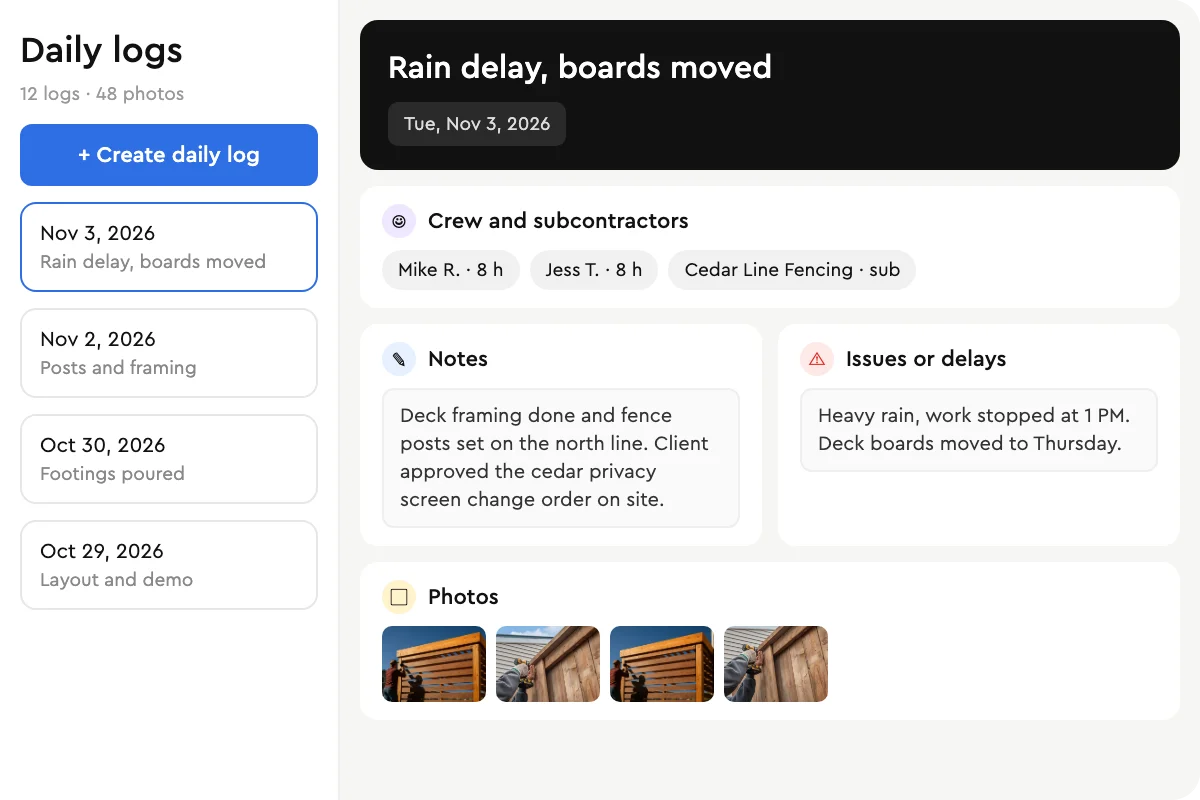
A construction daily log is a dated record of what happened on a job each day: who was on site, what work got done, what held it up and what it looked like. On a residential job it is the record you reach for when a homeowner questions a date, a sub questions their hours or a change order needs backing up.
Most small contractors know they should keep one. The problem is the format: a notebook in the truck, photos in a camera roll, texts with the crew. Daily log software puts all of it on the job, from the phone, while the day is still fresh.
What to Record in a Construction Daily Log
Date and weather. Weather explains most exterior delays, so write it down every day.
Crew and subcontractors on site. Who was there and for how many hours.
Work completed. Tie it to the tasks on your schedule so progress is measurable.
Issues and delays. Weather, inspections, late materials or waiting on the client.
Changes discussed on site. Anything that may need a change order.
Photos. Before you close up a wall, and anything you may need to prove later.
Inspections and visitors. Who came, what they checked and what they said.
Why Paper Logs and Text Threads Stop Working
A paper log only helps if someone fills it in and someone can find it later. Text threads and camera rolls are worse: the record exists, but it is spread across phones and never tied to the job. When a dispute comes up months later, nobody can find Tuesday.
If you are not ready for software, start with a consistent format. Our construction daily report template covers every field above.
What to Look for in a Daily Log App
Logged from the phone. If it needs a laptop, it will be done on Friday night from memory.
Tied to the job and the schedule. Logs and task updates should live on the job, not in a separate app.
Photos on the log. Dated and filed with the notes they belong to.
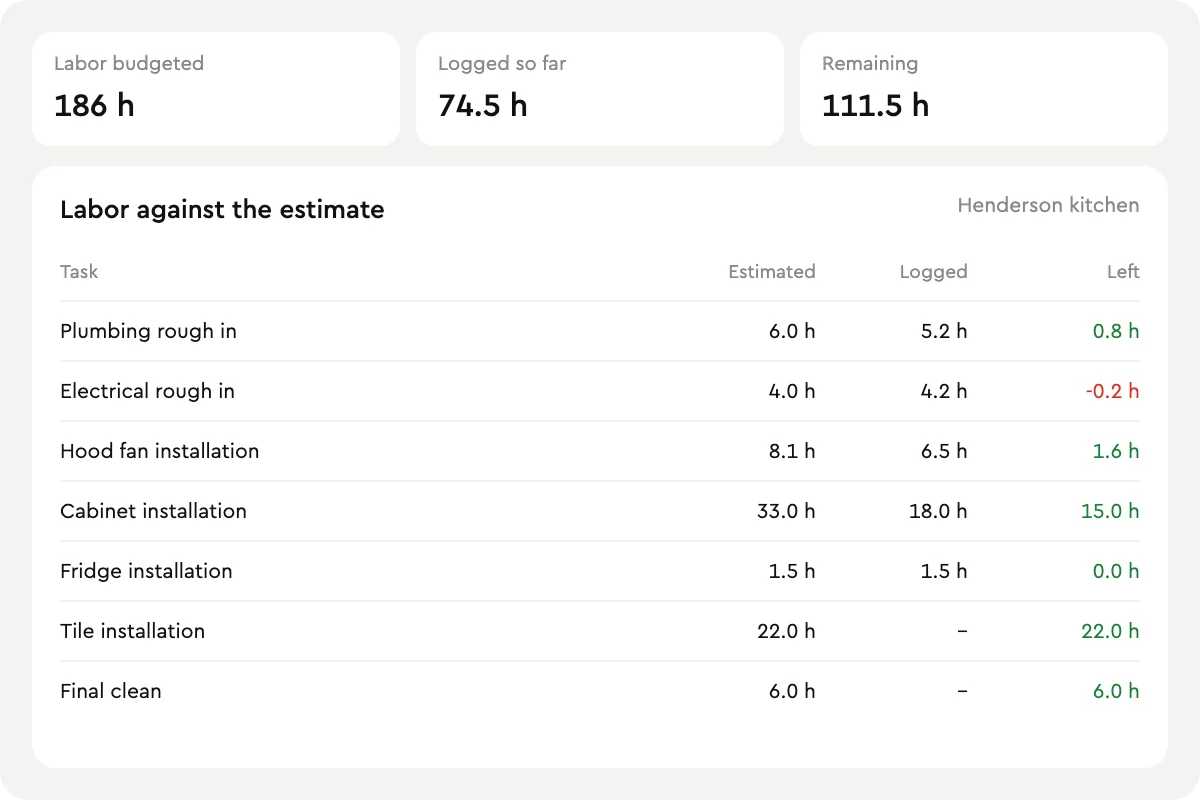
Hours on the budget. Crew hours should show up against what you priced.
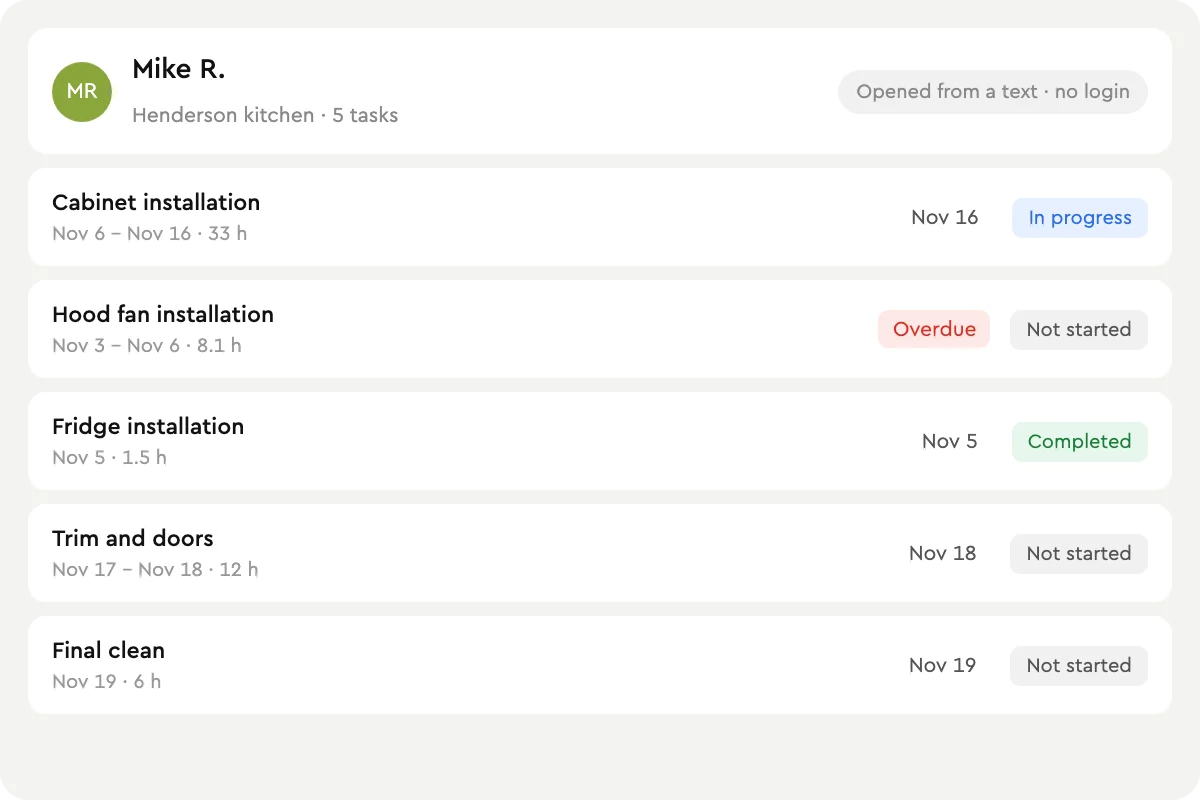
No login for subs. Subcontractors should update their tasks from a link.
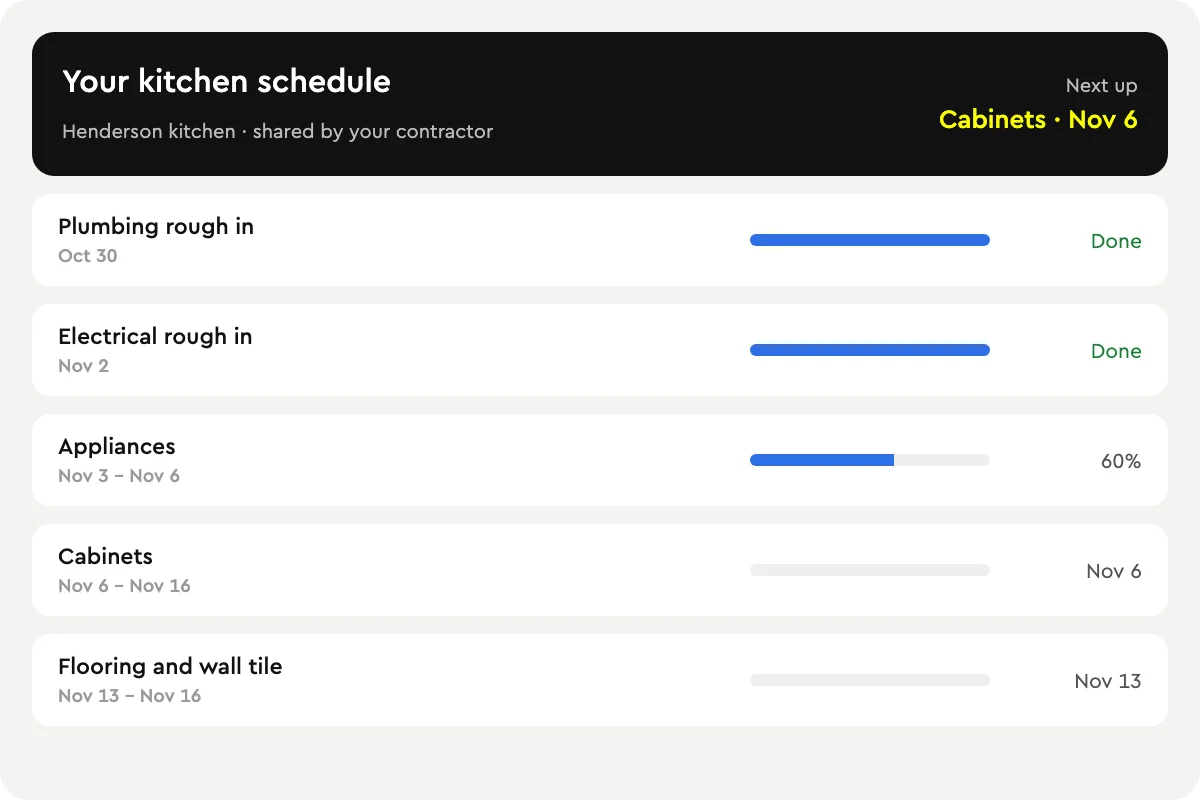
Customer visibility. A client portal that shows progress cuts down on calls.
How Bolster Handles Daily Logs
In Bolster a daily log lives on the job, next to the schedule, the tasks and the budget. Log the crew, notes, delays and photos from your phone. Your crew and subs update their own tasks from a link, anything overdue turns red, and hours land on the job budget so you see labor against the estimate.
Your customer follows along in the client portal, and when you approve a completed task the payment request goes out automatically. Daily logs are part of Bolster project management, included on Pro and up.
Time clock is next: crews clock in against the task and the hours land on the budget.
Frequently Asked Questions
What is a construction daily log?
A construction daily log, also called a daily report or site diary, is a dated record of each day on a job: who was on site, what work got done, what held it up and photos of the work.
What should a daily construction report include?
The date and weather, the crew and subcontractors on site with their hours, the work completed, issues and delays, changes discussed on site, inspections and visitors, and photos.
Do I need a separate daily log app?
Not if your project management software includes one. In Bolster, daily logs sit on the job with the schedule, tasks and budget, so there is nothing to re-enter.
Can my crew update tasks without a Bolster login?
Yes. Assignees get a link to their task list by email or SMS and mark each task Not started, In progress or Completed.
Does Bolster have a time clock?
A time clock is coming next: crews will clock in against the task and the hours will land on the budget.
Which Bolster plans include daily logs?
Daily logs, scheduling and tasks are included on Bolster Pro and up.
Book a demo to see daily logs on one of your own jobs.